
Now that you are convinced why a virtual summit is a great idea for your business, here is a rundown of the tools you will need. Running a virtual summit doesn’t need to be expensive, but keep in mind the outcome will be equal to what you put into it. You don’t need to buy a professional several-thousand-dollar video and microphone set-up, but you don’t want to buy a $20 one either. Let’s meet somewhere in the middle and here’s a few of our favorites:
#1 Webcam
 Unlike podcasts, a virtual summit requires a webcam. High quality helps to engage and keep your viewers interested. While most laptops, desktops and phones do have a webcam built in, they are usually not the best quality. Some smart phones do have a great camera, but lack in microphone quality. Besides, it’s much easier to manage broadcasting when you have a set-up at your computer station. Trying to do it all mobile proves to be a challenge.
You do not want to purchase a webcam that is less than 1080P since most services like YouTube often compress your videos. You can combat this by starting out by recording at higher quality.
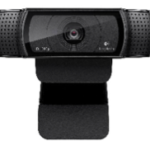
The Logitech HD Pro Webcam C920 is a great middle-of-the-road USB option! It has a 73% 5-star rating on Amazon with a substantial amount of written customer reviews, which make this camera a very promising one. It offers widescreen video calling, automatic low-light correction, and works on all computers.
#2 Microphone
 Webcams almost always come with a built-in microphone, but again the quality will never be as good than if you invest in a separate USB microphone. A microphone is just as important as your video; what good is a virtual summit if nobody can understand a word you are saying? You do not need to dive into professional recording equipment for this. Just look for a microphone that is recommended for podcasts and gaming with noise cancellation.
The CAD GXL2400 US Microphone is a great option that won’t break the bank. It promises to produce studio-quality output and a shock mount that will allow for it to sit at a comfortable height at your desk. It has 4/5-star review with great customer reviews and the best part is it’s only $30!
#3 Video Recording Software
You need software that allows you to see, hear and interview your guest speakers. You have two ways you can approach a virtual seminar:
If you want to do live broadcasting, I recommend using YouTube.
If you want to record the interview so you can broadcast at a later time, we highly recommend Zoom. It’s a web-based webinar program that’s free for up to 2 attendees.
#4 Video Editing Software
 It doesn’t matter what video editing software you use. It is up to you to use whatever tool you feel most comfortable working in. There are complex video editing software costs hundreds of dollars, but there are many free options as well. If you have a Mac computer your computer already comes with iMovie which is simple and easy to edit your videos. Another great option is Camtasia where you can create a screencast, add callouts, and more. You can even edit your videos inside of YouTube for free!
#5 Video Host
YouTube is the largest video hosting platform out there. It’s great if you want to broadcast live or later date. Vimeo is another good choice. Both work great and both can embed the video on your own website or create an easily shareable link.
#6 eCommerce & Membership Site
Shopify is hands-down the best ecommerce plugin for your website. Eventbrite is another option to sell tickets for your event if you don’t sell or plan to sell products from your website. Both are secure and easy to use.
 You might have to get creative in how you sell your all-access pass because your customers will need a way to log-in to the membership site. An example could include adding these customers to a separate mailing list and giving them a log-in and password to the membership site. This same mailing list could be used to market a new product/service as mentioned in the last article.
Shopify is good if you want to do implement order add-ons or physical products supporting your virtual summit and brand like t-shirts, hats, pens, etc.
However, Eventbrite is free and extremely user friendly. You can link it to social media and has several different customization options such as making it a public or private, set a limited quantity of tickets available, reserved seating, free/paid/donation ticket, and more!
#7 Backdrop
This is optional, but you want to consider a backdrop for your recording area so you look professional. This could be something as simple as a plain sheet or blanket pinned up on your wall. If you opt-out of a backdrop be aware of potential distractions or items in the background of your video.
There you have it…all the basics without breaking the bank. If you need more help in setting all this up or tips from our pro, contact us at Alpine Small Business Solutions today!

 An all-access pass is to your virtual summit as Netflix is to tv shows. This is the most popular way you can increase your revenue via virtual summits. Some people will not able to attend your virtual summit during your limited broadcasting event due to a busy schedule, sickness, or anything else life throws their way. However, these customers still crave the information!
 In essence, your virtual summit is an event. This is an amazing opportunity for companies to financially support you in exchange for publicity. There’s a few ways in which you can implement this, either by displaying their logo on your home page or making mention during your interviews.
 After your summit is done broadcasting, you will have a shiny, new, email list of followers! They will be enthusiastic to learn more about your topic and seek more of the content you offer. This is absolutely a great opportunity to influence this email list and
 It’s the paradox of the entrepreneur life. You hold autonomy over your schedule, but you should use that autonomy to set restrictions. Ask any successful entrepreneur and they will tell you a schedule is key (not convinced? Check out
 If you are lucky enough to have a storage area, pack it to the brim with discount supplies. If you haven’t already, make sure your supplies are organized and easily accessible.
 Productivity hacks are great. They let you work smarter, not harder. Pick a few new productivity tricks to try out this school year. You can even pick a new trick each month to continually make yourself more effective.
 As an entrepreneur, you are already stretched pretty thin. I get it! The last thing you want is another item on your to-do list. Fortunately, this one really does only take a few minutes a day. If you need to, download the LinkedIn app on your phone so you can update it while waiting in line at the grocery store or during your commute.
 At some point each week, make sure you are completing the following tasks.
 Each month, take the time to accomplish the following tasks.
 Each quarter, take time to comb over your profile and make any necessary tweaks.
 The cost per impression tends to be among the lowest for promotional products compared to other methods of advertising.
 For raising awareness among the target audience, promotional products lead to
 They say
 Previously, a reply would involve a tweet beginning with “@username” and then the user’s message. The username character count went towards the 140-character limit. If a few users were involved in the conversation, the character total quickly got eaten up. It also made it difficult to actually see the message content since it was after a long string of usernames
 Twitter’s goal is to make conversations easier to follow, allowing users to focus on the discussion of the tweets and not the lists of those in the discussion.
  In the past few years,
 You can’t work as a
  This insurance is added to a property insurance policy or is included in a package policy.
 Disability insurance is especially important for
 Fortunately, you have several options. If you’re married, check out your spouse’s policy. You can join the Freelancer Unions’ National Benefits Platform. You can go through a faith based health care sharing service. Check out your state’s
 What actually happens when we fail to structure our day isn’t the
  Just like you need boundaries with your time, you need boundaries with your space. Find a place in your house that’s just for work. Ideally, it will be a separate room. But, if you don’t have the space for a full office, that’s okay. Maybe you can set a desk in your bedroom or the living room. What’s important is you have somewhere to go with minimal distractions.
 Sometimes, we get so into our flow we don’t realize we’ve been working for hours straight. The best way to fight stress and burnout is proactively, so it’s important to avoid this work grind. Schedule breaks into your day. Maybe it’s 10 minutes every hour with a half hour lunch break. Maybe it’s the Pomodoro method, where you work for 25 minutes and take a five-minute break. Play around with different strategies and find
  This isn’t about becoming one of those scary “don’t you dare interrupt me while I’m working” work witches.
 Some people (very few mind you) can work in grunge clothes without it affecting their work. Good for them!
 So, you just found a great
  Maybe your need is internal. You need help maintaining the status quo, or you’re ready to take things to the next level. A virtual assistant can be a great help with
  Be ruthless about a task’s necessity. Stop and really evaluate whether the task even needs to be done. You’d be surprised how many things we do on autopilot, things that we should eliminate. As Timothy Ferris, author of The 4 Hour Workweek says, “never automate something that can be eliminated, and never delegate something that can be automated or streamlined.” You shouldn’t waste time outsourcing tasks that aren’t imperative. Make sure it’s necessary and cannot be automated before you delegate it.